Dunkin Donuts Drink Menu
Discover the extensive Dunkin Donuts drink menu, offering a delicious range of hot coffees, iced beverages, lattes, teas, refreshers, and frozen drinks to satisfy every taste. Whether craving a classic Original Blend coffee, an energizing cold brew, or a creamy caramel latte, Dunkin delivers fresh flavors and endless customization options—including dairy alternatives and sugar-free varieties.
With seasonal specials, rich espresso-based drinks, and signature Coolatta frozen beverages, the Dunkin Donuts drink menu ensures the perfect pick-me-up for any moment, available in multiple sizes and always crafted with premium beans.
Dunkin Donuts Drink Menu With Prices
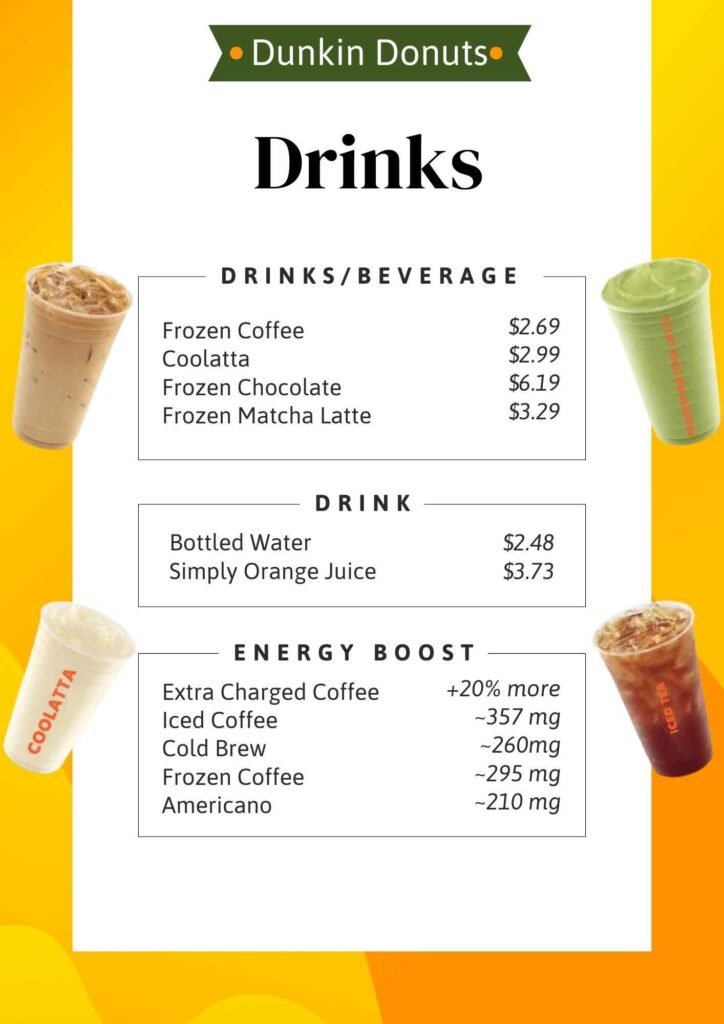
| Drinks/Beverage | Price |
|---|---|
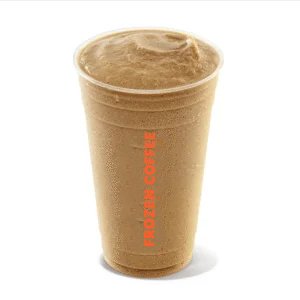
| Frozen Coffee | $2.69 |
| Coolatta | $2.99 |
| Frozen Chocolate | $6.19 |
| Frozen Matcha Latte | $3.29 |
Drinks
| Item | Price |
|---|---|
| Bottled Water | $2.48 |
| Simply Orange Juice | $3.73 |
What is the Best Drink to get from Dunkin Donuts?
Iced Coffees & Cold Brews
- Cold Brew – Smooth, rich, and less bitter thanks to a 12-hour steep.
- Cold Brew with Sweet Cold Foam – Strong cold brew topped with sweet, creamy foam.
- Caramel Craze Iced Signature Latte – Espresso, milk, caramel swirl, whipped cream, and caramel drizzle.
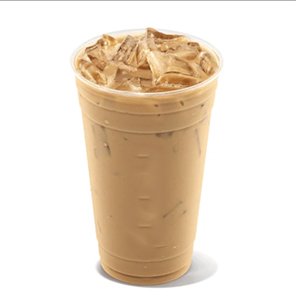
- French Vanilla Swirl Iced Coffee – Smooth coffee with a light, sweet vanilla flavor.
- Iced Americano – Bold, high-caffeine coffee without milk or sugar.
Hot Coffees & Lattes
- Original Blend Coffee – Dunkin’s classic hot brew with strong flavor.
- Latte – Creamy espresso and milk, customizable with flavor swirls.
- Hot Chocolate – Rich and creamy, especially with whole milk.
- Americano – Smooth and bold, made with 100% Arabica beans.
Other Popular Drinks
- Matcha Latte – Creamy green tea with milk, served hot or iced.
- Coolatta – Fruity frozen slushie drink, flavors like Blue Raspberry or Strawberry.
- Dunkin’ Refreshers – Fruity drinks with green coffee extract for an energy boost.
What Dunkin’ Drink to give you a strong energy boost?
| Drink | Caffeine (Medium) | Notes |
|---|---|---|
| Extra Charged Coffee | +20% more than classic coffee | Strong caffeine boost |
| Iced Coffee | ~357 mg | Bold and powerful |
| Cold Brew | ~260 mg | Smooth, less acidic |
| Frozen Coffee | ~295 mg | Sweet, blended, strong |
| Americano | ~210 mg | Espresso-based, rich flavor |
| Espresso | Varies | Concentrated caffeine shot |
Dunkin Donuts Drink Menu Nutrition, allergen, gluten, information
How to Order Online Dunkin’ Donuts Drinks?
Method 1: Order with the Dunkin’ App (Best for Rewards & Pick-Up)
Step 1: Download the App
- Go to the App Store (iPhone) or Google Play Store (Android).
- Search for “Dunkin’” and download the “Dunkin’ – Perks & Rewards” app.
Step 2: Sign Up or Log In
- Create a free Dunkin’ Rewards account (used to be called DD Perks).
- You’ll earn points, get special offers, and save your favorite orders.
- You can also order as a guest, but you won’t earn rewards.
Step 3: Choose How You Want to Pick Up
- Tap the “Order” button in the app.
- Select your pickup location (the app shows nearby Dunkin’ stores).
- Choose your pickup method:
- Walk-In Pickup – Go inside and get your order from the counter.
- Drive-Thru – Pick up your order at the drive-thru.
- Curbside Pickup – (Only at some places) Park in a special spot, and they’ll bring the order to your car.
Step 4: Build Your Order
- Look through the menu: coffee, donuts, sandwiches, bagels, and more.
- Customize your order: pick your milk, flavors, sweeteners, or sandwich toppings.
- Add everything you want to your cart.
Step 5: Review and Pay
- Check your cart to make sure your order is correct.
- Choose a payment method: Dunkin’ gift card, credit card, or debit card.
- Add any coupons or rewards you’ve earned.
Step 6: Pick Up Your Order
- When you’re near the store, tap “I’m Ready to Pick Up.”
- This tells the store to start making your order.
- Go to the store and tell them your name for pickup.
Method 2: Order with a Delivery App (Like Uber Eats, Grubhub, or DoorDash)
Step 1: Download a Delivery App
- Get Uber Eats, Grubhub, or DoorDash from the app store.
Step 2: Sign In and Add Your Address
- Log in or create an account.
- Enter your delivery address so the app can find nearby Dunkin’ locations.
Step 3: Find Dunkin’
- Use the search bar to type “Dunkin’.”
- Choose a store near you that delivers.
Step 4: Order Your Food
- Browse the menu and pick what you want.
- Customize your items if needed.
- Add everything to your cart.
Step 5: Checkout and Pay
- Review your order.
- Choose a payment method.
- Delivery apps will add extra fees (delivery, service, and tip).
- Place your order.
Step 6: Track Your Delivery
- Use the app to see where your order is and when it will arrive.